¶ EGABOUT Command
The EGABOUT command displays product, licensing, and version-related information for EGBoundary.
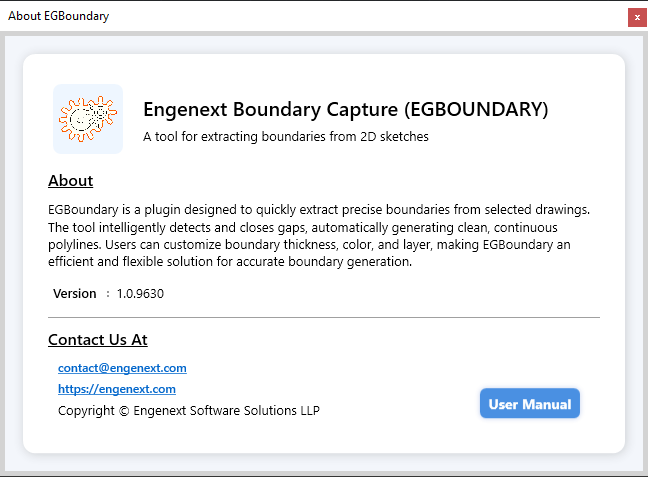
It also provides access to:
- License information
- Logout functionality
- Product details
- Support information
- User manual access
¶ Command Syntax
EGABOUT
The command is case-insensitive.
¶ Purpose of EGABOUT
The EGABOUT dialog serves as the primary information center for EGBoundary.
It allows users to:
- View software information
- Check license details
- Verify activation status
- Logout floating sessions
- Access support information
¶ How To Use
¶ Step 1 — Open CAD Application
Launch any supported CAD application.
¶ Step 2 — Open a Drawing
Create or open a drawing.
¶ Step 3 — Run Command
Enter:
EGABOUT
Press Enter.
The EGBoundary About dialog will appear.
¶ Information Displayed
Depending on license status, the dialog may display:
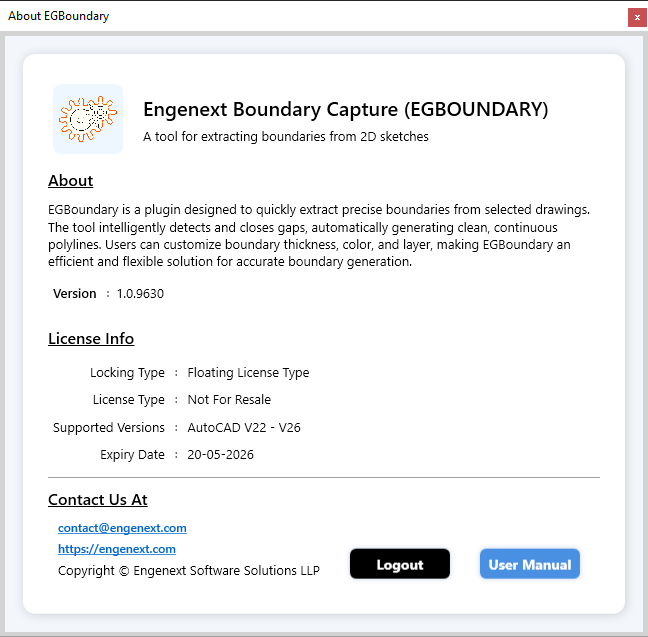
- Product name
- Software version
- License type
- Lock type
- Trial status
- Contact information
- Product brochure information
¶ Trial Mode Information
When running in trial mode, the dialog displays:
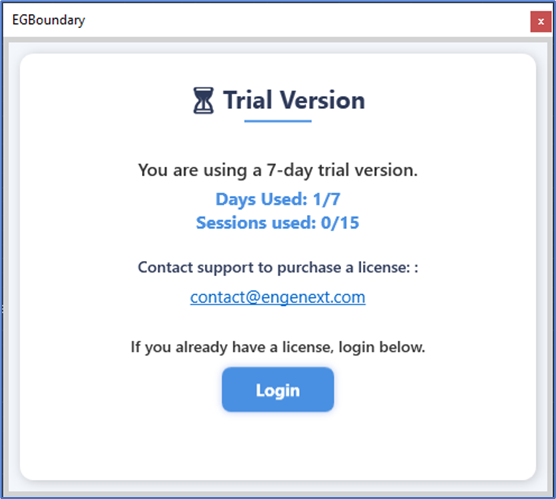
- Remaining trial duration
- Trial session information
- Product information
- Activation options
¶ Licensed Mode Information
After activation, the dialog displays:
- Activated license type
- Lock type
- Activation status
- License details
¶ Logout Functionality (Floating Licenses)
Floating Licenses support secure logout directly from the EGABOUT window.
This allows users to release the active session and use the license on another device.
¶ How To Logout
¶ Step 1 — Open EGABOUT
Run:
EGABOUT

¶ Step 2 — Click Logout
Inside the dialog:
Click:
Logout
¶ Step 3 — Confirmation
A confirmation message appears:
Logout Successful
The floating session is now released.
¶ Why Logout Is Important
Manual logout is strongly recommended when:
- Switching devices
- Closing workstations
- Using shared systems
- Moving between office/home setups
This immediately frees the floating seat for another machine.
¶ Automatic Session Timeout
If CAD is closed without logout:
- Session automatically expires
- License becomes available again after approximately:
2 Minutes
However, manual logout is always preferred.
¶ User Manual Access
The EGABOUT dialog also provides access to:
- Product documentation
- User manual resources
- Product information
¶ Related Commands
| Command | Description |
|---|---|
EGABOUT |
Product and license information |
EGLOGIN |
Open login dialog |
EGBOUNDARY |
Generate intelligent boundaries |
¶ Supported CAD Platforms
| CAD Software | Supported Versions |
|---|---|
| BricsCAD | V22 – V26 |
| AutoCAD | V20 – V27 |
| ZWCAD | V24 – V26 |
| GStarCAD | V24 – V27 |
¶ Support
For licensing or technical assistance: